

Virtual Baby Shower Ideas: How to Host a Fun Online Shower
Virtual baby shower ideas that work best are a 60–90 minute video call on Zoom or Google Meet with a clear schedule, digital invitations sent three to four weeks ahead, gifts shipped to the mom-to-be before the party, one screen-shared activity at a time, and a co-host who handles the tech so the host can focus on the celebration.
A virtual baby shower is not an in-person shower squeezed onto a laptop screen. It is a different kind of party: grandparents across the country can attend, friends who moved away can join, and the mom-to-be can celebrate from her own couch. Done well, it feels warm and personal.
What Is a Virtual Baby Shower — and When It Makes Sense
A virtual baby shower is a baby shower held over a video call instead of in a room. Guests join from home, the mom-to-be opens gifts on camera, and the party runs on a schedule the host shares in advance. Invitations, theme, games, gifts and thank-you notes all work the same way, just through a screen.
Virtual baby shower ideas make the most sense when the people who matter most live far apart: family across several states, friends who moved away, or a military family posted far from home.
Choose the Right Platform
The platform is the venue, so choose it before you send invitations. The best choice is the one your least tech-confident guest can join without help — usually Zoom or Google Meet.
If your oldest guest can join with one tap and no download, your platform is right.
| Platform | Free group limit | Best for | Watch out for |
|---|---|---|---|
| Zoom | 40 min free; up to 100 | Most showers | 40-min limit ends the call |
| Google Meet | Free with Gmail | Small showers | Fewer features |
| FaceTime | Up to 32; Apple only | All-iPhone showers | No Android guests |
| Microsoft Teams | Free; up to 100 | Teams users | Feels like a work meeting |
For most hosts, Zoom is the default pick: it handles large groups and screen sharing makes games easy. The catch is the free plan’s 40-minute limit — a 90-minute shower on free Zoom ends mid-party. Either pay for one month and cancel after, or choose Google Meet. Turn on the waiting room, and keep a phone dial-in number in the invitation.
Pick the Date, Time and Length
A virtual shower needs a tighter clock than an in-person one: on a video call, dead time is silence on a grid of faces. Plan for 60 to 90 minutes, with 90 as a hard ceiling.
Saturday between 10 a.m. and 2 p.m. is the sweet spot: it survives time zones and dodges dinner and bedtimes. If guests span time zones, spell out the time zone in the invitation, so nobody has to do the math.
Five to twelve guests is the sweet spot: everyone gets to talk and nobody gets lost in the grid. Our guide to how many guests to invite helps you size the list.
Send Digital Invitations That Actually Work
A virtual invitation carries information an in-person one never needs, so build it around the join. Send digital invitations three to four weeks before the shower, then a reminder two to three days before with the video link at the very top.
Every invitation should include: the mom-to-be’s name and the date, time, and time zone; a clickable video link (never one guests have to type out); the meeting passcode; the phone dial-in number; the registry link; the shipping address; and one line asking guests to keep cameras on. A short “how to join” note — “Click the pink link at 11 a.m., then click Join with Video” — helps older guests enormously.
Digital invitations are usually made in Canva, Evite or Paperless Post, or on a site in our guide to the best baby shower invitation websites. Our digital vs printed invitations comparison explains when digital is the right call, and our guide to when to send invitations covers timing.
Decorate the Space Behind the Camera
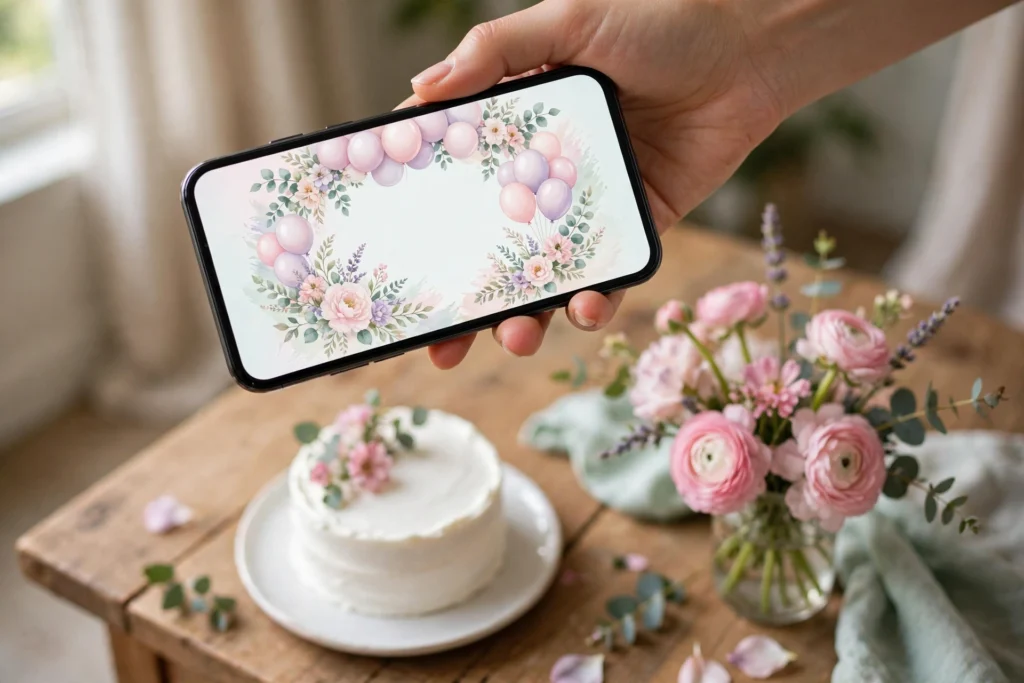
Decor matters more online than in person, because the camera sees only one rectangle of the room — and that rectangle is the whole party. The mom-to-be’s backdrop matters most: a balloon garland, a banner, or pastel balloons behind her chair instantly says celebration, not meeting.

Decorate just the 4 to 6 feet the camera sees: a clean wall, a banner or garland, a small vase of flowers, and good light on the mom-to-be’s face. A ring light or a lamp behind the laptop, facing her, makes an enormous difference — a window behind her turns her into a silhouette. For backdrop ideas, see our baby shower backdrop ideas; a small DIY balloon arch behind the chair is the fastest way to make the frame feel festive, and our budget-friendly decorations keep the cost down. A shared theme helps — our unique baby shower themes, minimalist themes, winter themes and butter yellow themes read clearly on screen.
A 90-Minute Virtual Baby Shower Schedule That Works
The showers people loved were tightly scheduled, with a planned activity in every slot. Print this schedule.
0–10 minutes: Welcome. Open the call early and greet people by name. Ask everyone to turn cameras on.
10–25 minutes: Icebreaker. One quick screen-shared activity: a baby photo game, a quiz, or a poll.
25–45 minutes: Games. Two or three quick screen-shared games. The host shares the screen; everyone answers out loud or in chat.
45–65 minutes: Gift opening. The mom-to-be opens gifts shipped ahead of time, thanking each giver by name.
65–80 minutes: Special moments. A photo slideshow, a nursery tour, advice or wishes, a group toast, or a gender reveal — see our gender reveal invitations. This is the emotional heart of the shower.
80–90 minutes: Goodbyes. The mom-to-be thanks everyone. End on time.
One person cannot host, run the slides, watch the chat, and fix a frozen camera at the same time. Give the co-host the schedule and the tech helper the job of messaging guests who cannot join.

How to Run Activities Online
Activities keep a virtual shower from becoming a meeting, but they have to be built for a screen. The rule is simple: one person drives, everyone else watches and answers. Screen-shared games beat anything guests have to set up themselves.
The activities that work best online are emoji pictionary (host shares the screen, guests shout or type answers), a short trivia quiz, a baby photo guessing game, Price Is Right, and a virtual scavenger hunt (“find something blue in your house”). Polls are underrated: Zoom’s polling shows results live and gives quiet guests a way to join in.
What does not work: anything that needs props, passing things around, or measuring a body. Belly measuring is impossible over video, and taste-the-baby-food games need kits mailed to every guest. Keep activities to three at most, each under ten minutes. For printable games, see our printable baby shower games. See our guide to virtual baby shower games.
Opening Gifts on Camera Without the Awkward Silence
Gift opening is the trickiest part of a virtual shower. In person, side conversations fill the gaps; online, there are no gaps — only a grid of faces watching one person tear paper.
Option one: open live, but open smart. Have gifts shipped at least two days before the shower. Open them one at a time on camera, calling out each giver’s name first. Play “guess the gift” — everyone predicts what is inside.
Option two: open ahead, show on camera. The mom-to-be opens everything before the shower and holds each gift up to the camera, with thanks to each giver. This removes the dead time and suits large gift piles.
Option three: skip live opening entirely. Use the time for games and conversation instead. For gift ideas that ship well, see our best baby shower gifts for first-time parents and affordable gifts under $50.

Shipping Gifts and Favors to Guests
Shipping needs a deadline: gifts should arrive at least one to two days before the shower. Put the shipping address and the “please send by” date on the invitation and the registry page, and send one reminder a week before the deadline.
The registry is the easiest path: guests buy from it and have the item shipped directly to the mom-to-be, with gift wrap and a gift message if the store offers it.
Favors work the other way around: the host ships something small to the guests. The simplest version is a digital favor — a thank-you email after the shower with a printable recipe, a photo collage, or a short video message. For a physical favor, mail a small party kit a week before the shower: a tea bag, a small candle, or a cookie.
When guests buy from the registry and ship directly to the mom-to-be, nobody pays twice for postage. The same applies to favors: ordering treats online is usually cheaper than packing and mailing them yourself.

Food and Drink When Everyone Is in a Different Kitchen
Nobody can share a cake over video, but food still matters. Mail everyone the same treat — a cookie, chocolates, or a tea bag — and send a mocktail recipe with the invitation so everyone can raise a glass together. A short group toast costs nothing. Keep the music low.
Tech Setup and Troubleshooting
Tech problems are the number one fear hosts mention, and almost all are preventable with one rehearsal. Test everything the day before on the same Wi-Fi the shower will use.
The host’s setup. Use a laptop, not a phone — the screen is bigger, the camera is steadier, and screen sharing works properly. Plug the laptop into power, sit near the Wi-Fi router, and close every app you do not need.
Guest troubleshooting. The most common guest problems are a link that will not open, a microphone that stays muted, and a camera that shows a ceiling. Solve them before the party: send the link twice, include the dial-in number, and put join instructions in the reminder. During the party, the tech helper messages the struggling guest privately.
The backup plan. Write down the phone numbers of the mom-to-be, the co-host, and the tech helper. If the platform goes down, the co-host texts everyone the backup link. If the mom-to-be’s Wi-Fi drops, the co-host keeps the party going with a game.
The guest of honor should never be the person admitting guests, muting microphones, or fixing a frozen screen. Give those jobs to a co-host before the shower starts.
Virtual Baby Shower Etiquette
Virtual showers follow the same etiquette as in-person ones, with a few online additions. Invitations go out three to four weeks ahead, only to people who know and care about the mom-to-be. Guests should RSVP.
Cameras on is a request, not a rule: ask guests to keep cameras on if they can, but never call out a guest who keeps theirs off. Mute when not speaking. Do not record the call without telling everyone first and getting the mom-to-be’s okay.
Thank-you notes still matter. The mom-to-be should send a personal thank-you to every guest who sent a gift, mentioning the gift by name, within two weeks. Our thank-you card wording guide has examples.
What a Virtual Shower Costs
A virtual shower is one of the cheapest ways to celebrate: no venue, no catering, no travel. The main costs are small: a paid video plan for one month, mailed party kits or favors, a backdrop, and small e-gift cards for prizes. For the full cost picture, see our guide to how much a baby shower costs.
Your Virtual Baby Shower Checklist
- Choose the platform.
- Pick the date; Saturday 10 a.m. to 2 p.m. is safest.
- Write the guest list; appoint a co-host.
- Send digital invitations 3–4 weeks ahead.
- Set up the registry for direct gift shipping.
- Plan the 90-minute schedule.
- Decorate the camera backdrop.
- Mail party kits or favors a week before.
- Rehearse the tech the day before.
- Send the reminder 2–3 days before.
- Open the call 10 minutes early.
- End on time; send thank-you notes.
Frequently Asked Questions
How long should a virtual baby shower last?
A virtual baby shower should last 60 to 90 minutes, and 90 minutes is a hard ceiling — screen fatigue sets in after that, so plan a tight schedule and end on time.
What is the best platform for a virtual baby shower?
Zoom is the best default: it handles large groups, offers breakout rooms, screen sharing and polls, and most guests already know it. Google Meet is best for small showers and hard-of-hearing guests, because it offers live captions.
How do gifts work at a virtual baby shower?
Guests ship gifts directly to the mom-to-be so they arrive at least one to two days before the shower, usually from the registry with direct shipping. The mom-to-be opens them on camera and thanks each giver by name, or opens them ahead of time and holds each one up.
How do I keep guests engaged during a virtual baby shower?
Keep the party to 90 minutes, give every slot a planned activity, and use screen-shared games where one person drives. Appoint a co-host to run the schedule and a tech helper to fix problems privately.
Do I need to send invitations for a virtual baby shower?
Yes. Send digital invitations three to four weeks before the shower, and a reminder two to three days before with the video link at the top. Every invitation should include the date, time and time zone, a clickable video link, and the shipping address.
Final Thought
The best virtual baby shower ideas are not the fanciest ones — they make distance disappear for ninety minutes. Pick the platform your guests can join, send invitations that tell people exactly how to get in, keep the schedule tight, ship the gifts ahead, and give the tech jobs to someone who is not the mom-to-be. See our guide to how to plan a baby shower and our baby shower timeline.